
Conversational Commerce Without the Friction: The Rubi Coffee Playbook
How specialty roaster Rubi Coffee connected Shopify to WhatsApp and RCS with RubiApps to create a seamless, 24-second in-chat buying experience.

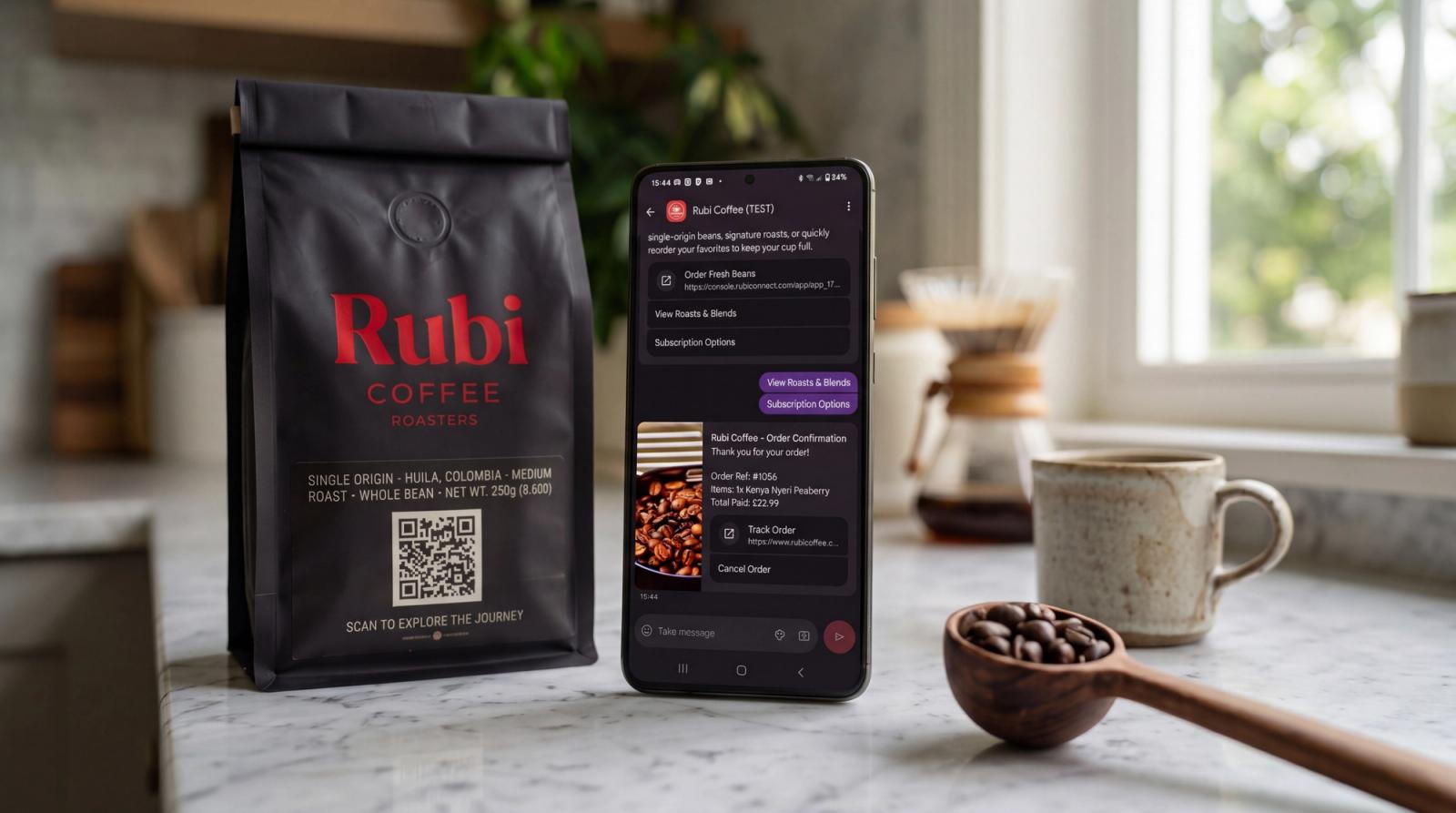
Imagine this everyday scenario:
It’s 7:30 AM. You’re in your kitchen brewing your morning coffee. As you tip the bag of beans into your grinder, you realize you've just emptied the last scoop.
Normally, reordering means opening your laptop or mobile browser, searching for the roaster’s website, navigating cookie popups, logging in because you forgot your password, picking your grind size, re-typing your credit card details, and hoping you remember to do it before heading out the door.
More often than not, life gets in the way, and that shopping cart is abandoned.
Quick Take: In-chat conversational commerce connects Shopify product catalogs directly to WhatsApp and RCS messaging threads. By pairing physical packaging QR triggers with lightweight micro-apps (RubiApps) and 1-tap Apple Pay/Google Pay checkout, brands reduce repeat order friction from minutes to under 30 seconds with zero password or web login obstacles.
Here is how that exact moment looks for customers of Rubi Coffee:
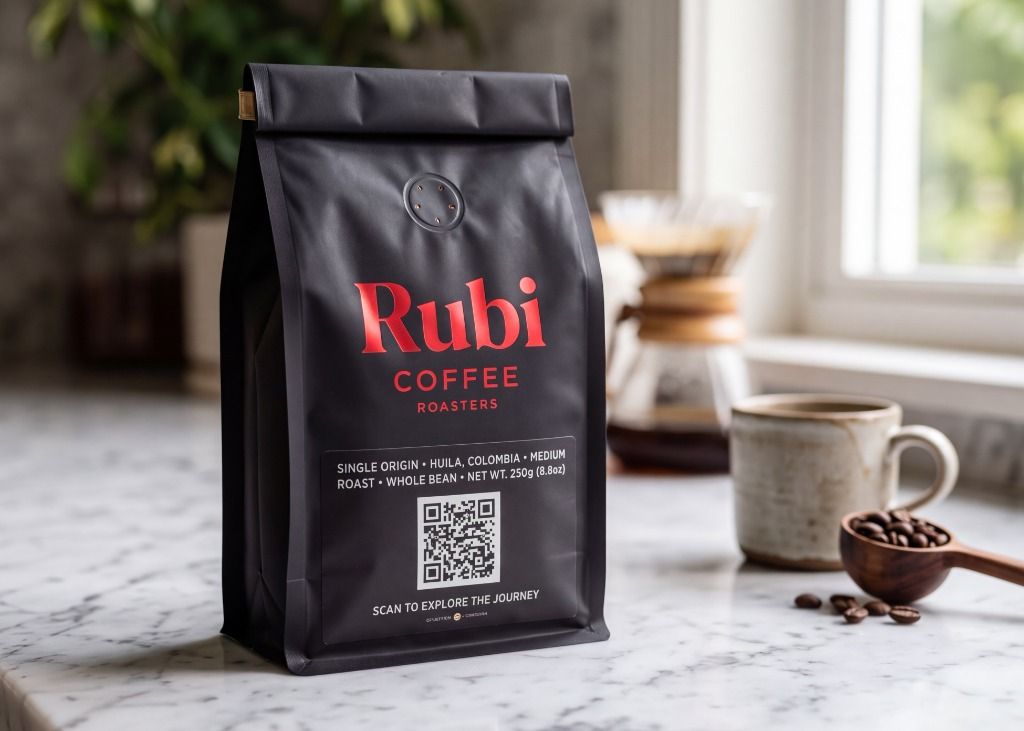
1. The Packaging Scan
On the front of the empty bag of Rubi Coffee Roasters (Single Origin Huila, Colombia • Medium Roast • 250g) is a clean, dynamic QR code:
"SCAN TO EXPLORE THE JOURNEY"
Elena points her smartphone camera at the bag. With one tap, it launches the phone native Messages app and initiates a rich RCS conversation (it could also be a WhatsApp conversation) directly into an official, verified brand thread with Rubi Coffee.
2. The In-Chat Welcome Card
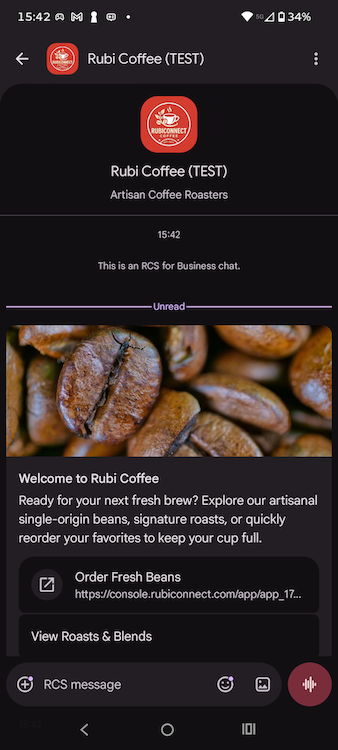
Instantly, an automated, branded welcome card appears in the chat:
3. The In-Chat Storefront Launches (Zero Web Redirects)
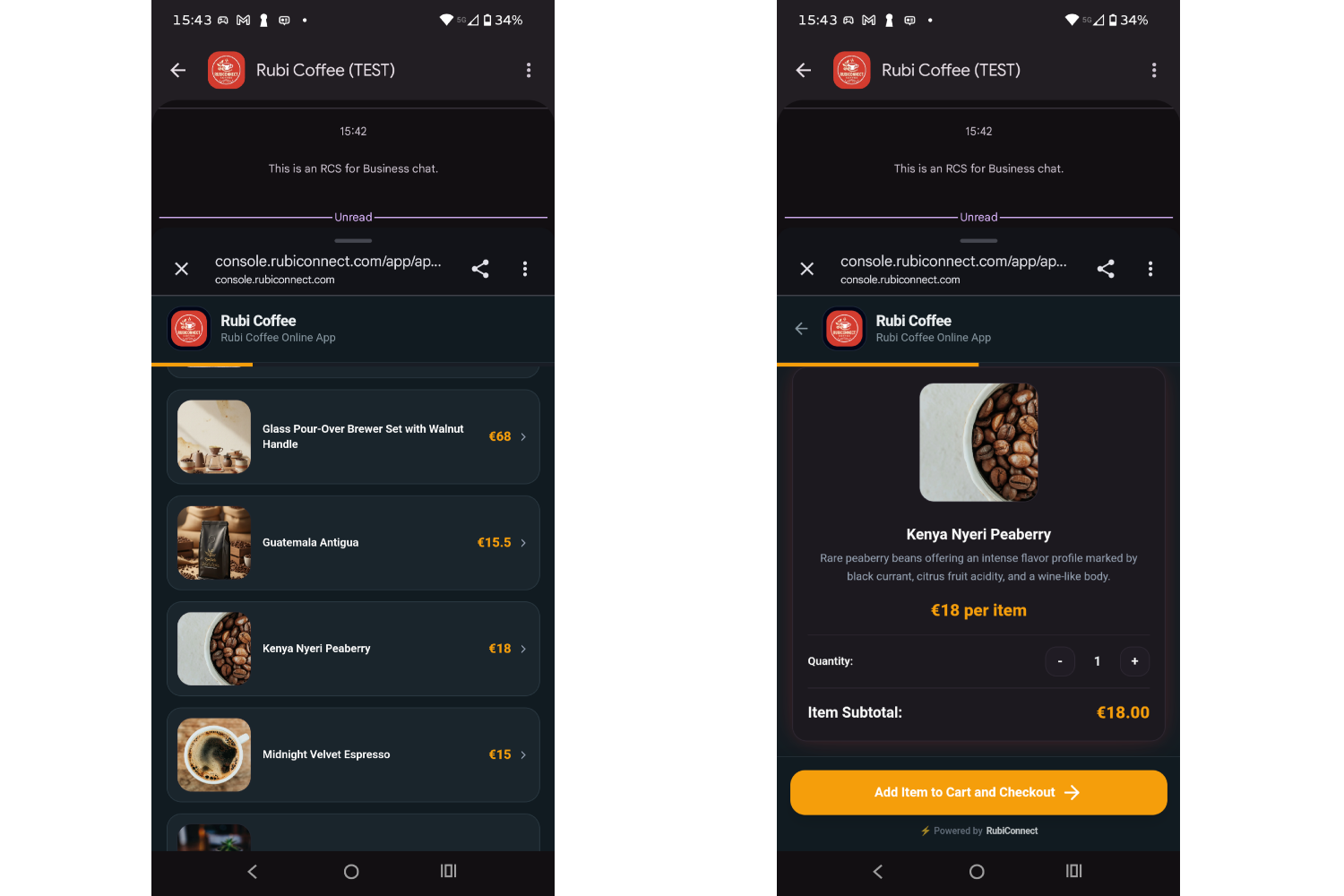
Elena taps `🛍️ Order Fresh Beans.
Instead of kicking her out into a sluggish external mobile browser, a lightweight, responsive RubiApp slides up smoothly over her chat window:
- Automatic Recognition: Because Elena is in her verified messaging thread, her name and mobile number are already pre-filled. No account creation or login required.
- Visual Catalog: High-resolution photos of fresh seasonal roasts appear, with tasting notes and bag options.
- Variant Customization: Elena selects Single Kenya Nyeru Peaberry, chooses the 250g bag.
- Live Price Calculation: The order total updates immediately to €18.00
1-Tap Checkout
At the bottom of the screen, Elena taps Pay. She can choose to pay with with Apple Pay, Google Play or credit card.
- Payment is approved.
- The order is locked in.
- The micro-app view automatically slides closed, returning Elena straight to her conversation.
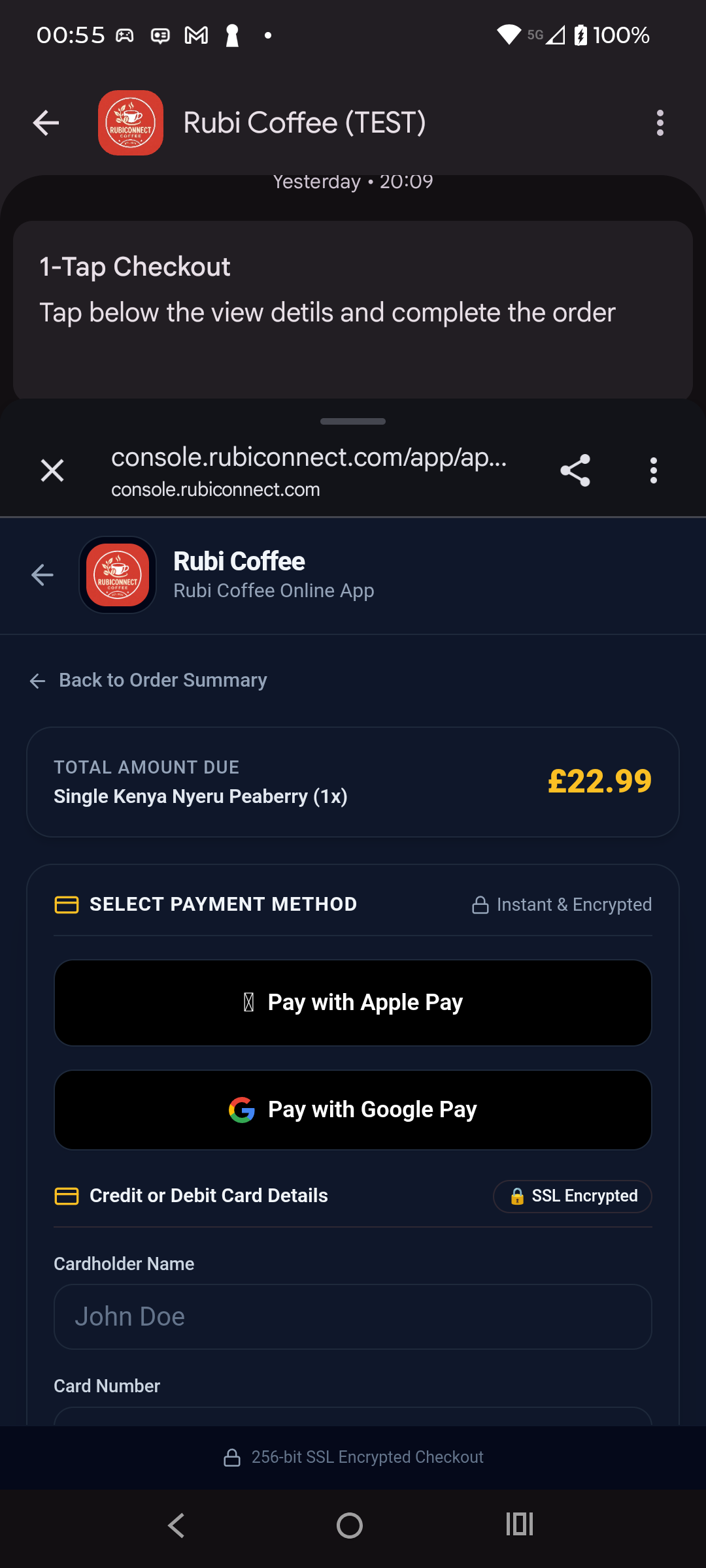
Total time from scanning the bag to paid order: 24 seconds.
5. Instant In-Chat Receipt & Tracking
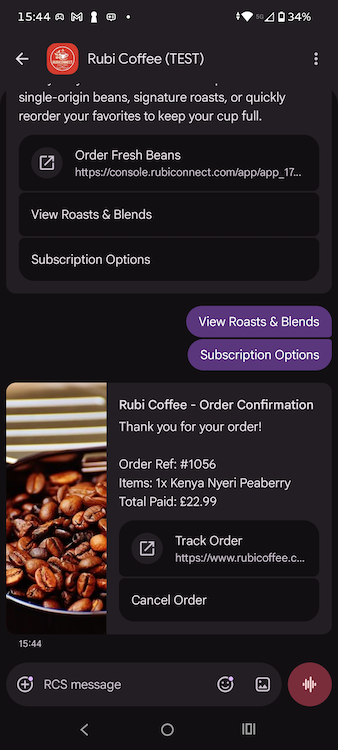
Within two seconds of payment, an interactive confirmation card lands directly in the messaging thread, with buttons to cancel the order or to track it. Elena can return to this thread later to check the status of the order. No need to seach for emails, find a link or tap in order numbers.
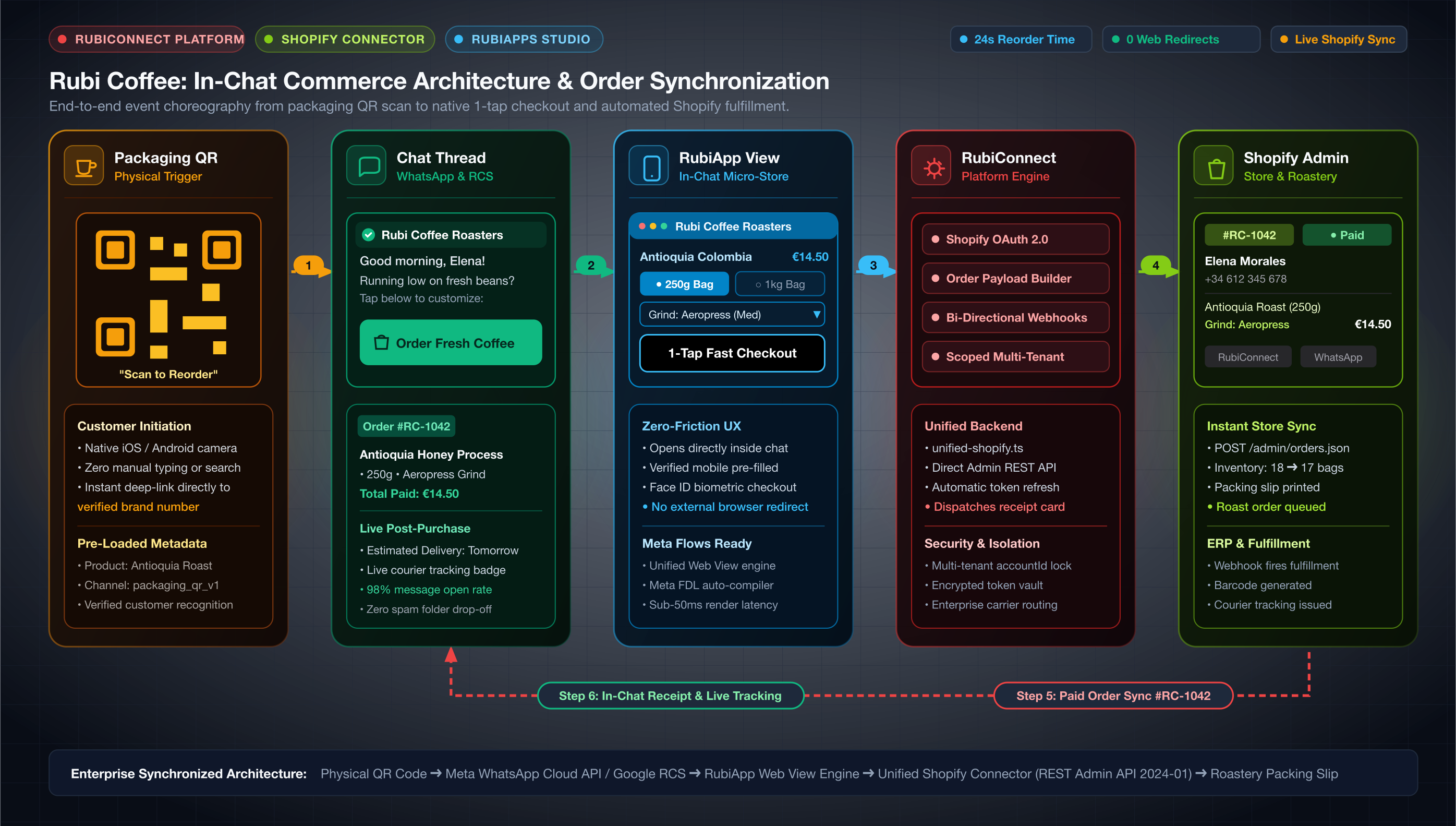
Behind the Scenes — How It Works
Now that you've seen the customer journey, let’s look under the hood. How does a brand build an experience like this without months of custom software development?
Behind this 24-second reorder is the integration between RubiConnect and Shopify.
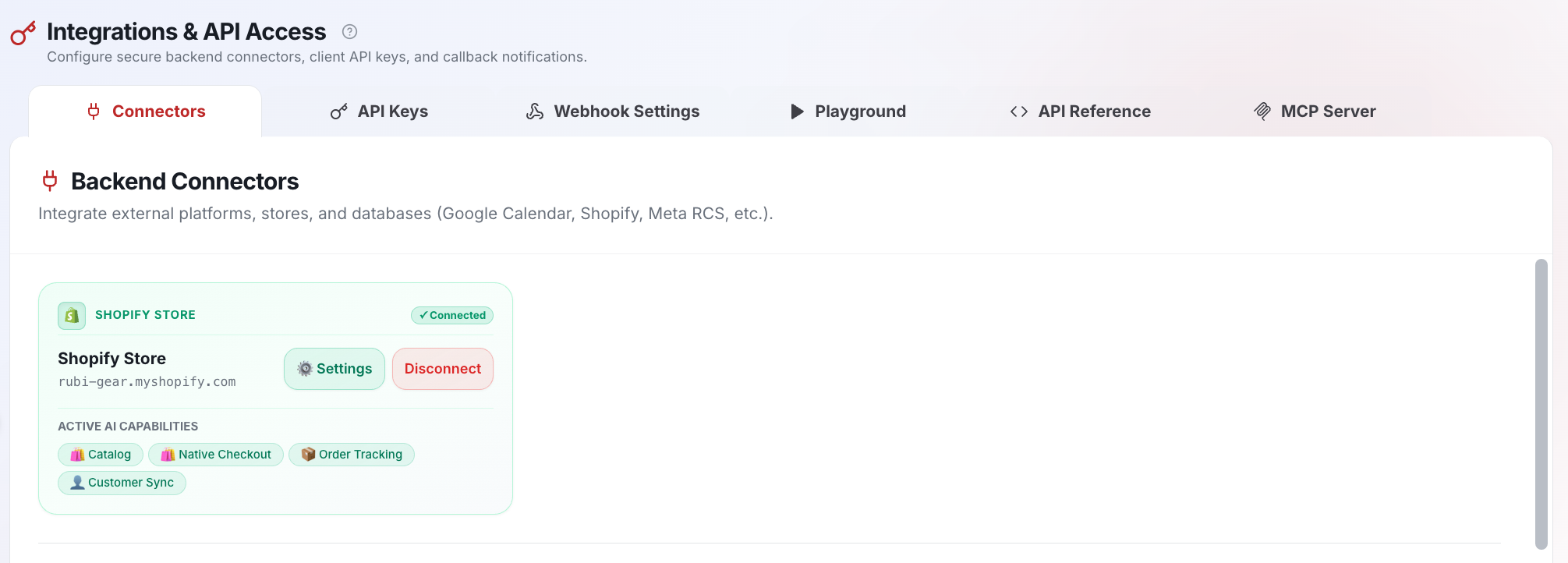
Step 1: 1-Click Shopify Authorization
Everything starts with your existing Shopify store. RubiConnect connects directly to Shopify Admin via OAuth 2.0:
- In the RubiConnect dashboard, navigate to Integrations & Connectors > Shopify.
- Enter your store domain:
rubi-coffee.myshopify.com. - Click Authorize with Shopify.
- Review the requested permissions:
- `read_products` & `read_inventory`: Fetches real-time catalog items, prices, variants, and stock levels.
- `write_orders` & `read_orders`: Creates verified paid orders directly in Shopify Admin.
- Click Install App.
RubiConnect handles token exchange, encrypts credentials, and establishes bidirectional webhooks. In under a minute, your store catalog is ready to be served inside conversational channels.
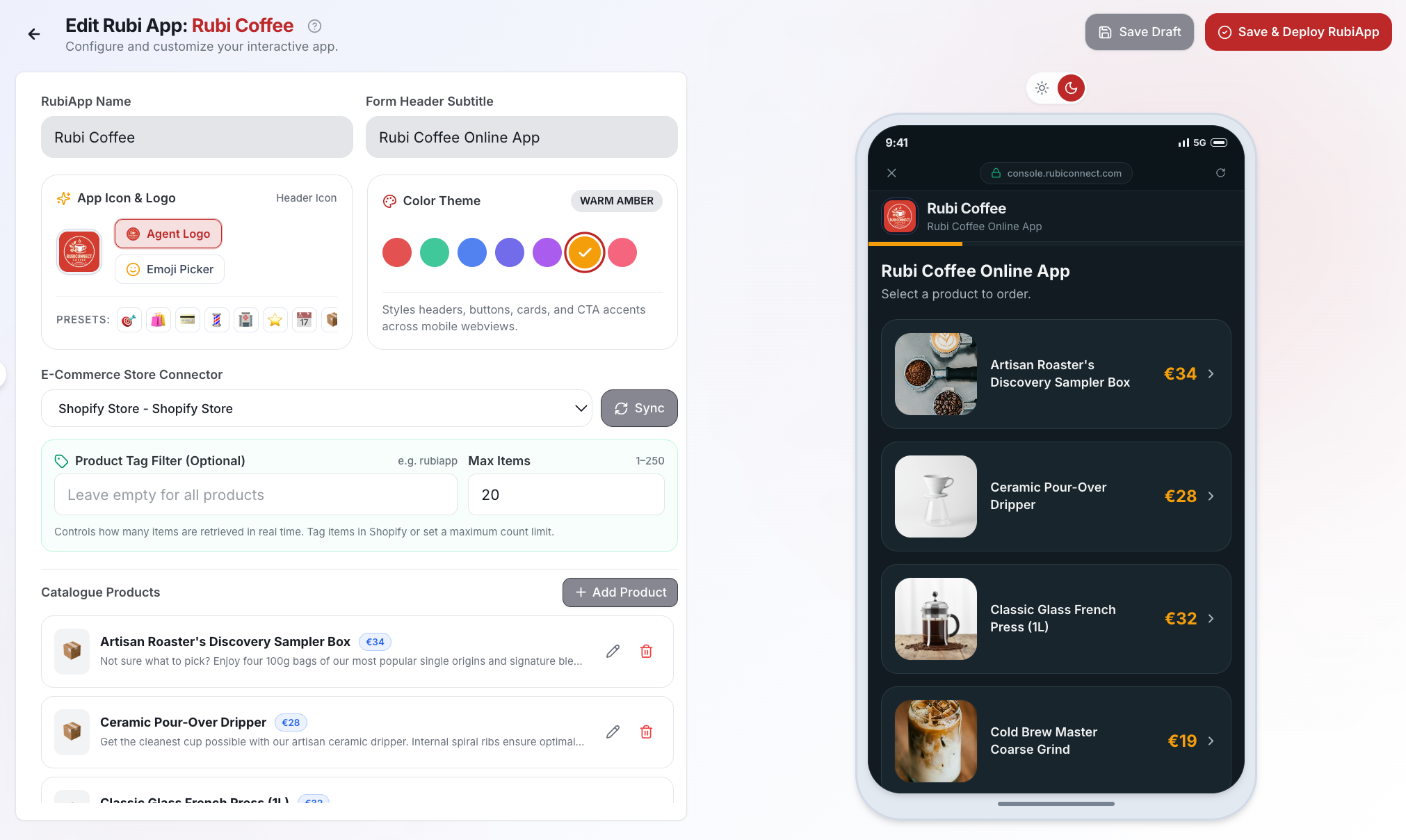
Step 2: Customizing the Storefront in RubiApps Studio
Instead of relying on rigid, text-based rigid commands, RubiConnect uses RubiApps—interactive micro-apps that open directly inside WhatsApp and RCS as lightweight in-chat web views (with native Meta Flows compatibility).
In RubiApps Studio, we configured the Rubi Coffee store using the 🛍️ Retail & E-Commerce Template:
- Brand Identity: Styled with roastery brand colors (Espresso
#382218and Warm Cream#FDFBF7) and official brand logos. - Catalog Mapping: Connected directly to the synced Shopify
Fresh Roastscollection. - Custom Variant Fields: Configured intuitive mobile selectors for: Bag sizes (
250g/1kg) - Mobile Simulator Verification: Tested the entire checkout flow in real time using the interactive preview panel before publishing.
Step 3: Triggering the Experience in Conversation Flows
To connect the physical coffee bag to the in-chat storefront:
- In Conversation Flows, we added an `App Widget Node` (
appWidget) mapped to our published RubiApp (rubi_coffee_order). - We generated a smart QR Code linked directly to this flow's keyword trigger.
- When scanned, the flow automatically recognizes returning customers, pulls their recent roast history, and serves the Welcome Card with the 1-tap app launch chip.
Step 4: Automated Shopify Fulfillment Sync
When Elena taps Apple Pay in the RubiApp, RubiConnect executes a direct API call to Shopify:
POST /admin/api/2024-01/orders.json
{
  "order": {
    "line_items": [
      {
        "title": "Single Kenya Nyeru Peaberry",
        "price": "18.00",
        "quantity": 1,
        "properties": [
          { "name": "Bag Size", "value": "250g" },
          { "name": "Grind Type", "value": "Medium (Aeropress)" }
        ]
      }
    ],
    "financial_status": "paid",
    "customer": {
      "first_name": "Elena",
      "phone": "+34612345678"
    },
    "tags": ["RubiConnect", "RubiApp", "WhatsApp_Reorder"]
  }
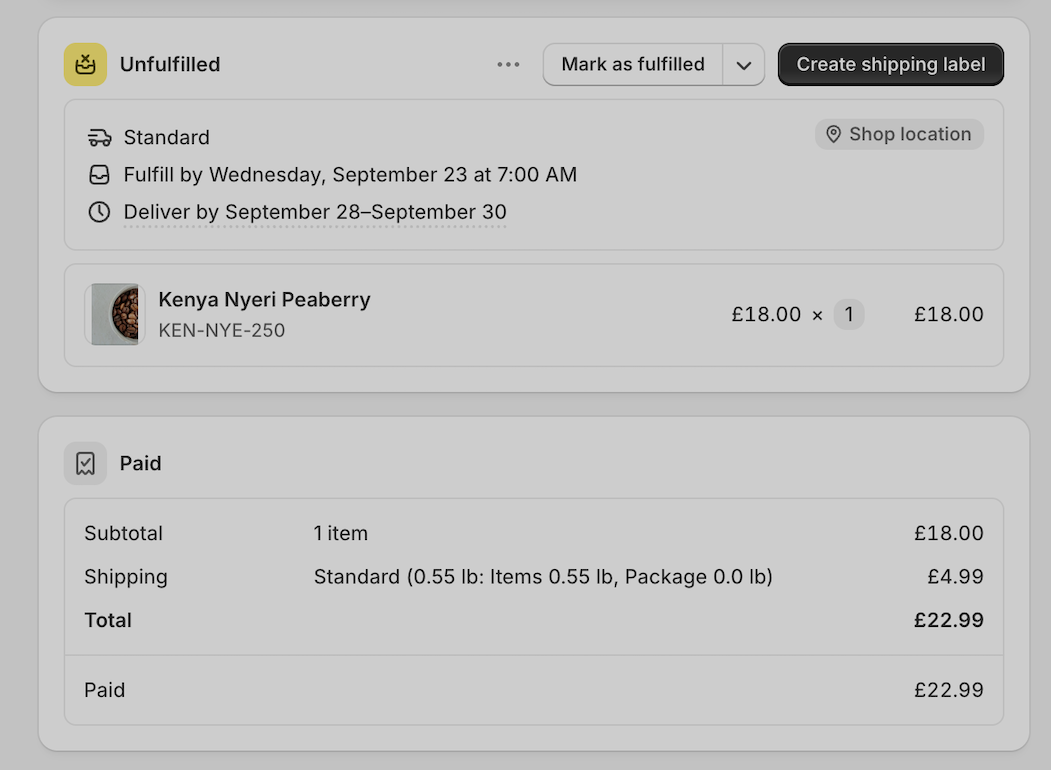
}- Zero manual data entry: Order #RC-1042 appears in Shopify Admin with status
Paid. - Inventory sync: Shopify instantly decrements stock for the 250g Antioquia variant.
- Fulfillment: The roastery packing slip prints automatically with the exact grind note (*Medium - Aeropress*).
The Verdict: Why In-Chat Beats Web Stores for Reorders
Turn Your Packaging into a 1-Tap Store
For consumable products like coffee, skincare, wine, supplements, and pet food, the highest-converting moment to reorder is when the customer is holding the empty product in their hands.
With RubiConnect and Shopify, you can turn that physical product into a frictionless, in-chat reorder channel in under an hour:
- Connect your store with 1-click OAuth.
- Build your custom RubiApp in minutes.
- Print dynamic QR codes on your packaging.
👉 Start your free RubiConnect trial and give your customers the fastest checkout experience in retail.
Frequently Asked Questions
Does Shopify support native 1-tap checkout inside WhatsApp and RCS?
Yes. Through RubiConnect's native integration with Shopify, brands launch lightweight in-chat micro-apps (RubiApps) directly within WhatsApp and RCS conversations. Customers customize product options and complete purchases via Apple Pay or Google Pay without opening a separate web browser or navigating third-party cookie consents.
Do customers need to create an account or remember passwords to reorder in chat?
No. Because the customer interacts through their verified phone number in WhatsApp or RCS, identity is authenticated automatically. Order confirmations, delivery notifications, and past roast preferences are remembered without manual logins.
How does inventory and order fulfillment sync back to Shopify?
RubiConnect uses bidirectional OAuth APIs and webhooks. When an order is completed in chat, it creates a fully paid order in Shopify Admin (write_orders), reduces inventory stock in real time (read_inventory), and forwards customer notes directly to your warehouse fulfillment flow.
What is the difference between an in-chat micro-app (RubiApp) and a traditional chatbot?
Traditional chatbots force users through repetitive text prompts or numbered menus, leading to high drop-off rates. A RubiApp is a visual, reactive UI that slides up inside the conversation, allowing customers to browse high-res product photos, toggle variant selectors, and tap native mobile pay sheets in seconds.
Related Articles
Continue exploring more insights and guides

The Business Messaging Landscape in the UK: The Renaissance of the Native Inbox
The United Kingdom has established itself as one of the most mature, high-value, and compliance-driven digital economies in the world. As UK enterprises look to maximize customer lifetime value amid shifting economic conditions, the business messaging ecosystem is undergoing a dramatic paradigm shift. While in other countries the landscape is defined by near-total reliance on a single third-party application, the UK market is characterised by a fierce battle between over-the-top (OTT) ecosystems and the carrier-backed native inbox revival.

How to Get Started with WhatsApp Business in the UK: A Guide for SMEs
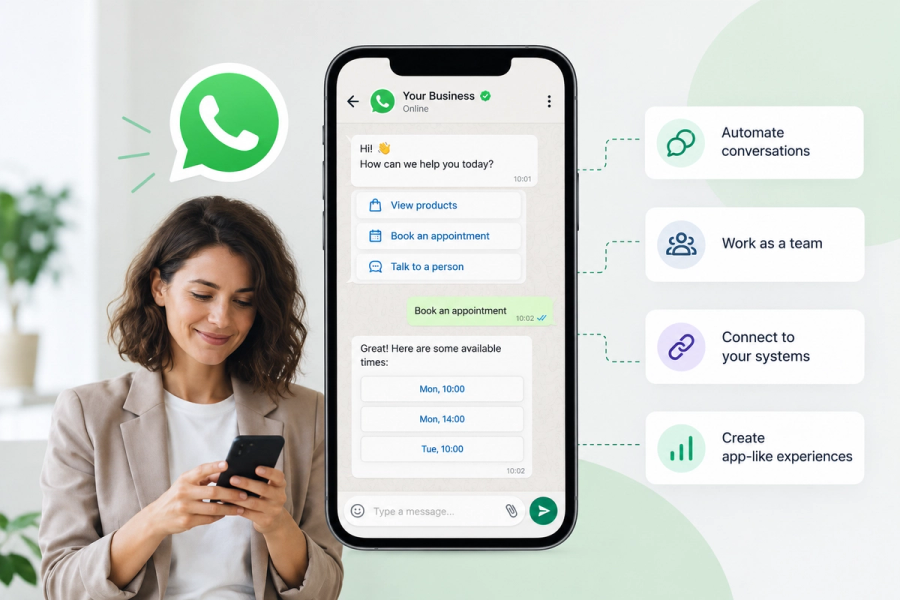
WhatsApp Business is easy to start with. But when your business wants to automate conversations, connect WhatsApp to its systems or create app-like customer experiences, the WhatsApp Business API opens up a whole new set of possibilities. This guide explains how to get started and what to look for in a WhatsApp Business provider in the UK.

The October 1st Reckoning: Comparative analysis of Meta and RCS Business Messaging costs.
A comprehensive cost analysis of Meta new pricing model against the flat 24h conversational rate of RCS, across Spain, the UK, and Germany for Small (1,000), Medium (4,000), and Large (50,000) conversational volumes.